Elevate Your Typography with a Rose Gold Text Effect
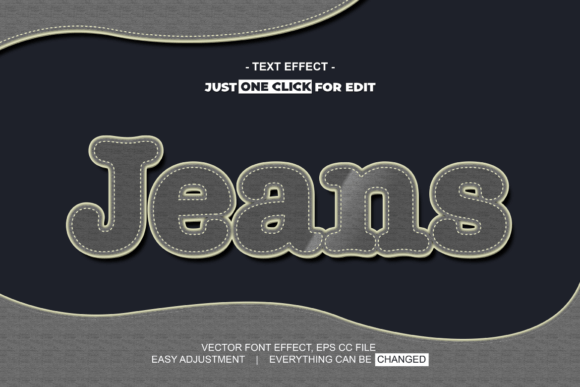
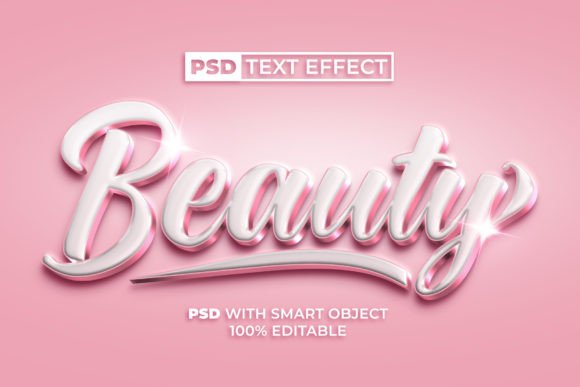
Transform your standard text into a luxurious statement with the Beauty Text Effect Rose Gold Color Style, a versatile asset for modern graphic design. This sophisticated effect, designed for Photoshop with a Smart Object, allows creators to apply a polished, metallic finish to any font or logo instantly. It’s a practical solution for achieving high-end visual communication without the need for advanced skills, streamlining your design workflow and enhancing brand identity with a single click.
Why Rose Gold Resonates in Visual Design
The enduring popularity of rose gold in design stems from its unique blend of warmth, elegance, and modernity. This color palette conveys luxury, femininity, and approachability, making it a powerful tool in branding and marketing. Applying a Beauty Text Effect Rose Gold Color Style instantly elevates typography, creating a focal point that commands attention. It’s more than a trend; it’s a strategic choice for establishing a premium aesthetic across various creative projects, from social media graphics to packaging design.
Practical Applications Across Creative Projects
The utility of a well-crafted text effect extends far beyond simple decoration. Its true value lies in its ability to solve specific design challenges and enhance communication across multiple platforms.
- Branding and Logo Design: Use the effect to create distinctive wordmarks or logotypes that embody sophistication. It helps establish a memorable brand identity for beauty, fashion, or lifestyle businesses.
- Marketing Materials: Apply it to headlines in brochures, flyers, and digital ads to draw the eye and convey quality, improving the overall professional presentation of your collateral.
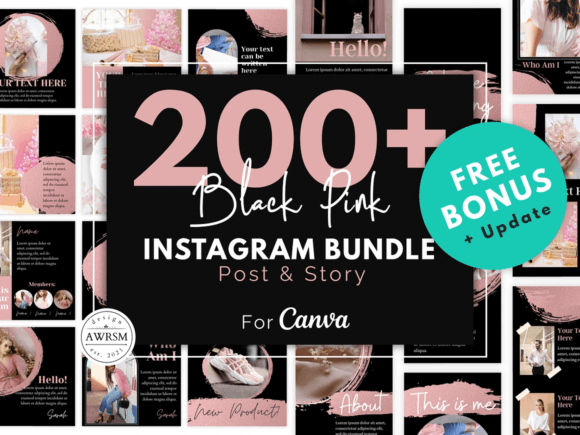
- Social Media Content: Create scroll-stopping graphics for Instagram, Pinterest, or Facebook. The metallic sheen boosts engagement and makes promotional posts or announcements stand out in a crowded feed.
- Website and UI Design: Strategically use styled text for hero section headers or call-to-action buttons to guide user attention and enhance the user experience with visual hierarchy.
- Editorial and Packaging Design: Add a touch of luxury to magazine layouts, book covers, or product packaging, influencing customer perception and shelf appeal.
Maximizing Your Design Workflow
Integrating assets like the Beauty Text Effect Rose Gold Color Style for Photoshop is about working smarter. The provided PSD file with a Smart Object layer is a game-changer for efficiency. You simply double-click the Smart Object layer, type your text, save, and the effect is applied perfectly. This non-destructive method ensures 100% editability, allowing for endless experimentation with different typography and color palettes. It eliminates complex layer styles and manual adjustments, making it ideal for both seasoned professionals and those new to graphic design.
Choosing and Applying Effects with Purpose
When selecting any design element, context is key. Consider your target audience and the message you wish to communicate. A rose gold effect pairs beautifully with clean, sans-serif fonts for a contemporary look or with elegant serifs for a classic feel. Ensure the effect supports readability; the text must remain legible at all sizes. Always evaluate its consistency with your broader brand systems. Does the metallic finish align with your existing color palette and visual identity? Used thoughtfully, such effects become a cohesive part of your visual storytelling, not just an ornamental addition.
Ultimately, the tools you choose directly influence the quality and impact of your work. Leveraging high-quality, easy-to-use creative assets like this text effect empowers you to produce visually compelling designs that communicate more effectively, strengthen brand recognition, and resonate deeply with your audience. It’s a small investment that yields significant returns in both aesthetic appeal and professional efficiency.